|
Install Xrdp Server
2015/01/21 |
|
Install Xrdp server to connect to CentOS from Windows clients with the Remote Desktop function.
|
|
| [1] | Install Xrdp server and start it. |
|
[root@dlp ~]# /etc/rc.d/init.d/xrdp start Starting xrdp: [ OK ] Starting xrdp-sesman: [ OK ][root@dlp ~]# chkconfig xrdp on
|
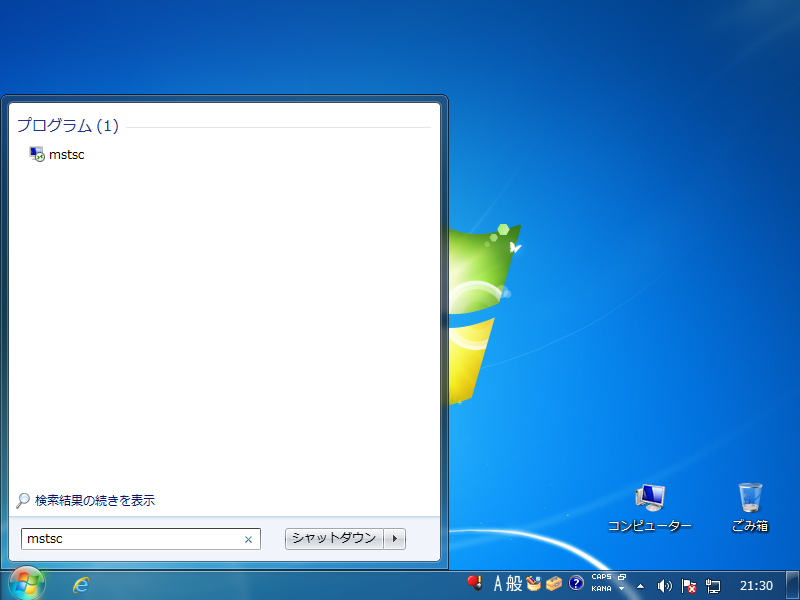
| [2] | Connect from Windows clients. For example on Windows 7, input "mstsc" to start the remote desktop function. |
|
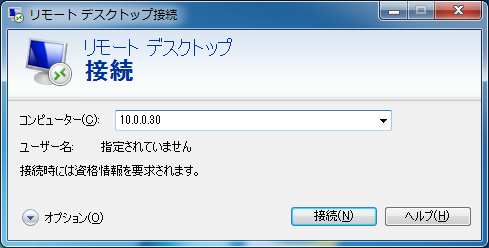
| [3] | Input the hostname or IP address you'd like to connect and push the "Connect" button. |
|
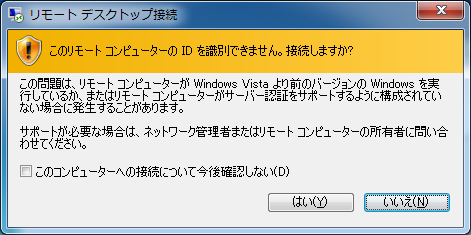
| [4] | Answer with "Yes". |
|
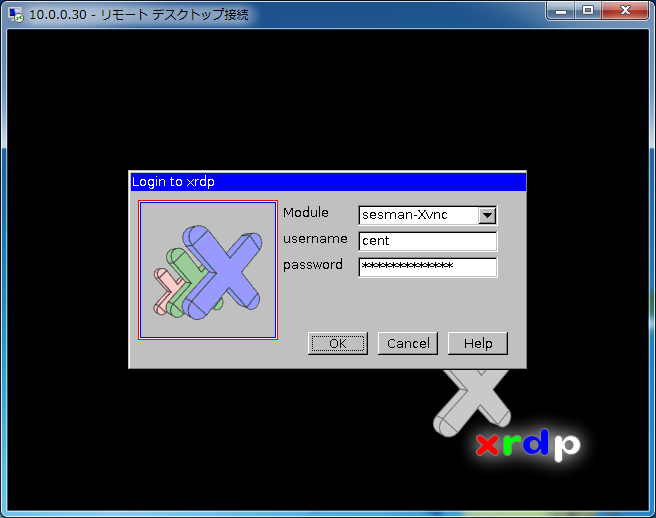
| [5] | Input a user which is in CentOS to authenticate. |
|
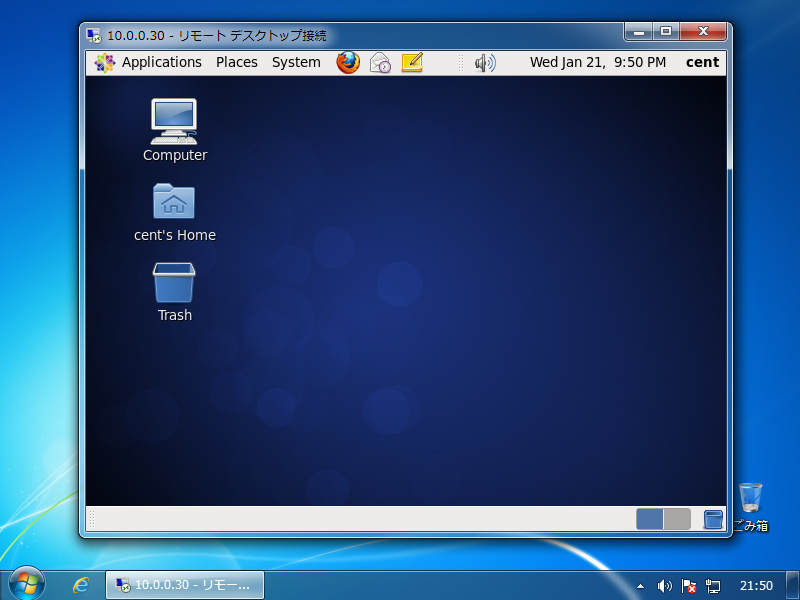
| [6] | Just connected. If failed to login at first time (sometimes happens at first login), retry to login again. |
|